How to add or change a team roster in a tournament or league
· blyzer
BLYZER GUIDETEAM ROSTERTOURNAMENT / LEAGUE
How to add or change a team roster in a tournament or league
If you want your players correctly listed in matches, statistics and event details,
your team roster needs to be set up properly. In this guide we'll show you
how to edit your team line-up on the Blyzer platform straight from your phone.
The process is simple and takes just a few minutes. Below you'll find exact
step-by-step instructions with screenshots from the app.
1. Log in to your account
First, log in to your account on the Blyzer platform.
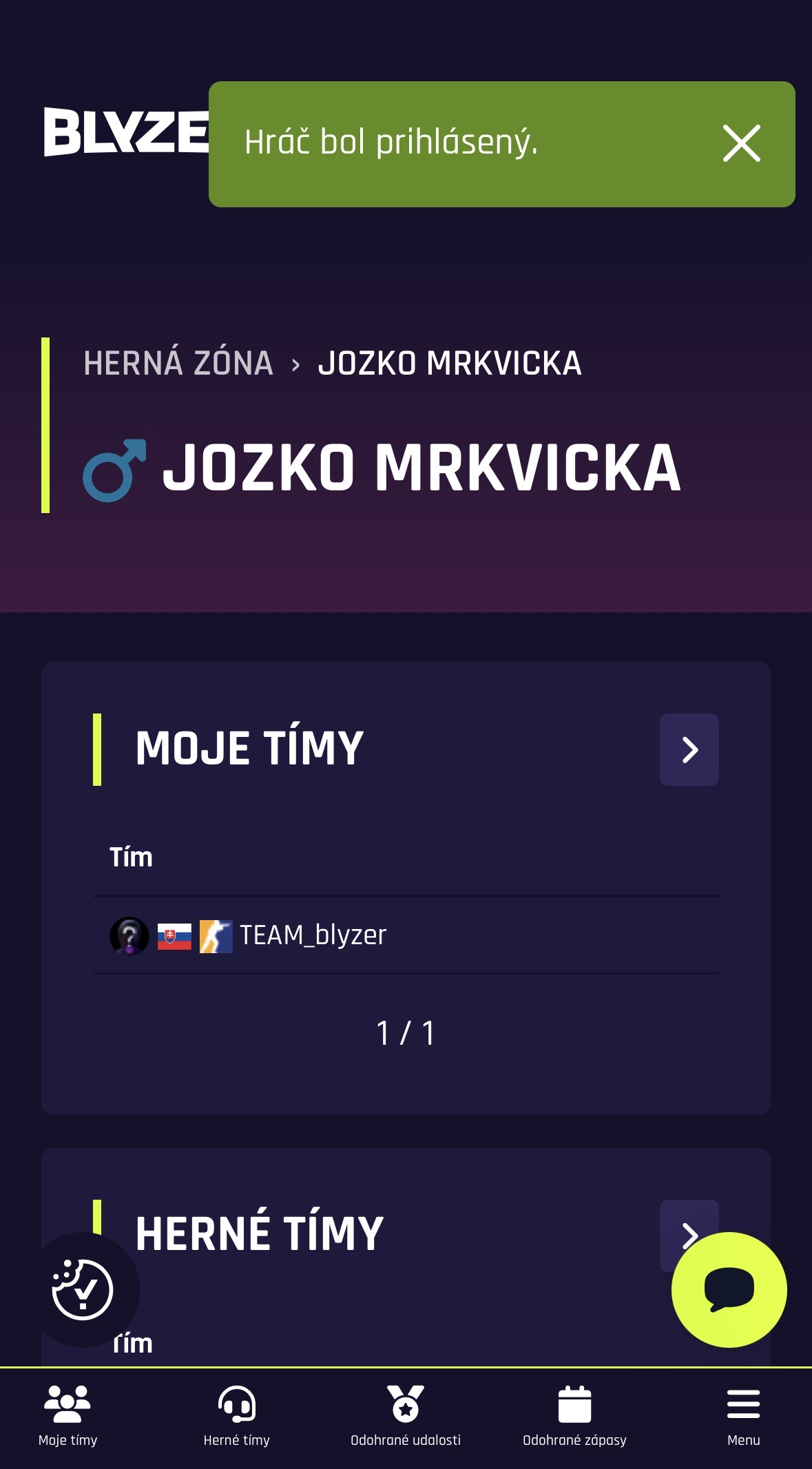
After logging in you'll land in the game zone, where you'll see your profile
and the main sections of the app.
In the bottom menu, tap the My teams section,
which lists all the teams you're a member or captain of.
After logging in you'll land in the game zone, where you'll find the My teams section.
2. Open your team
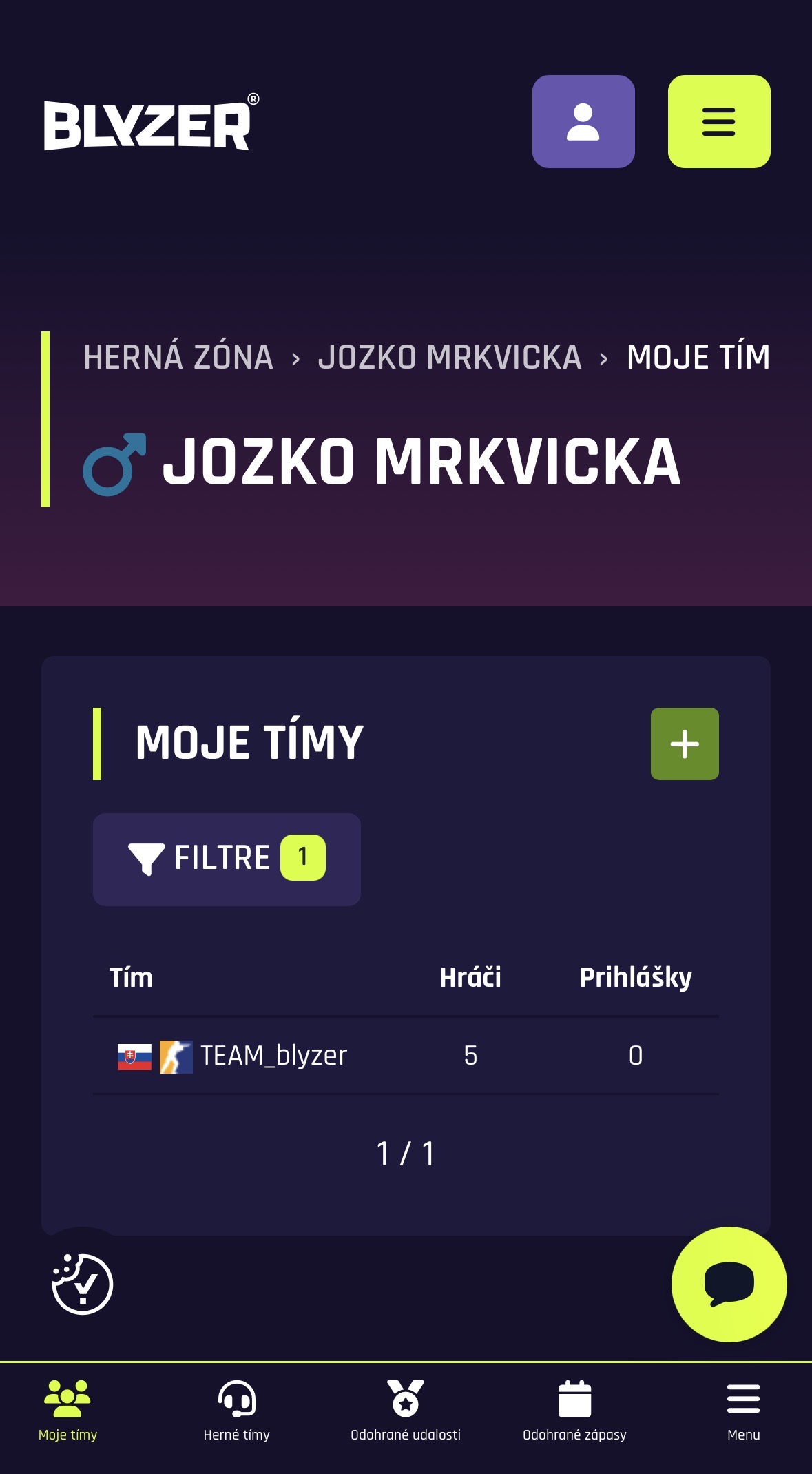
In the list of teams, select the team whose roster you want to edit
or set up for a specific tournament or league.
Tapping it opens the team detail, where you'll see the number of players,
the team captain and other information about the team.
From the My teams section, open the team whose player roster you want to edit.
3. Go to the team detail and the Events section
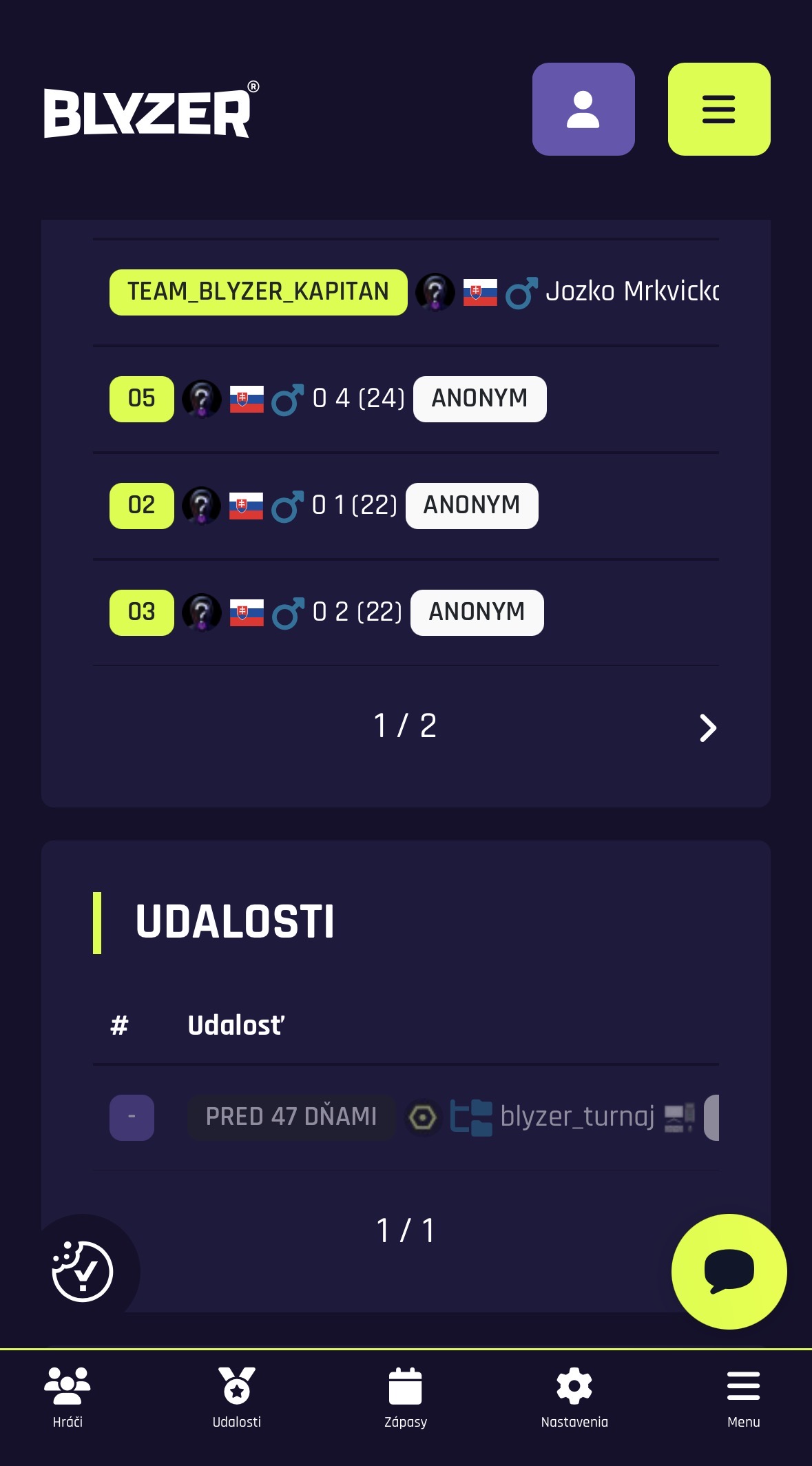
Once you open the team, its detail is displayed. Here you'll find the list of players,
the team captain and also the Events section.
This section shows all the tournaments, leagues and competitions
your team is currently registered in.
In the team detail you'll find the players as well as the events the team is registered in.
4. Open the specific event
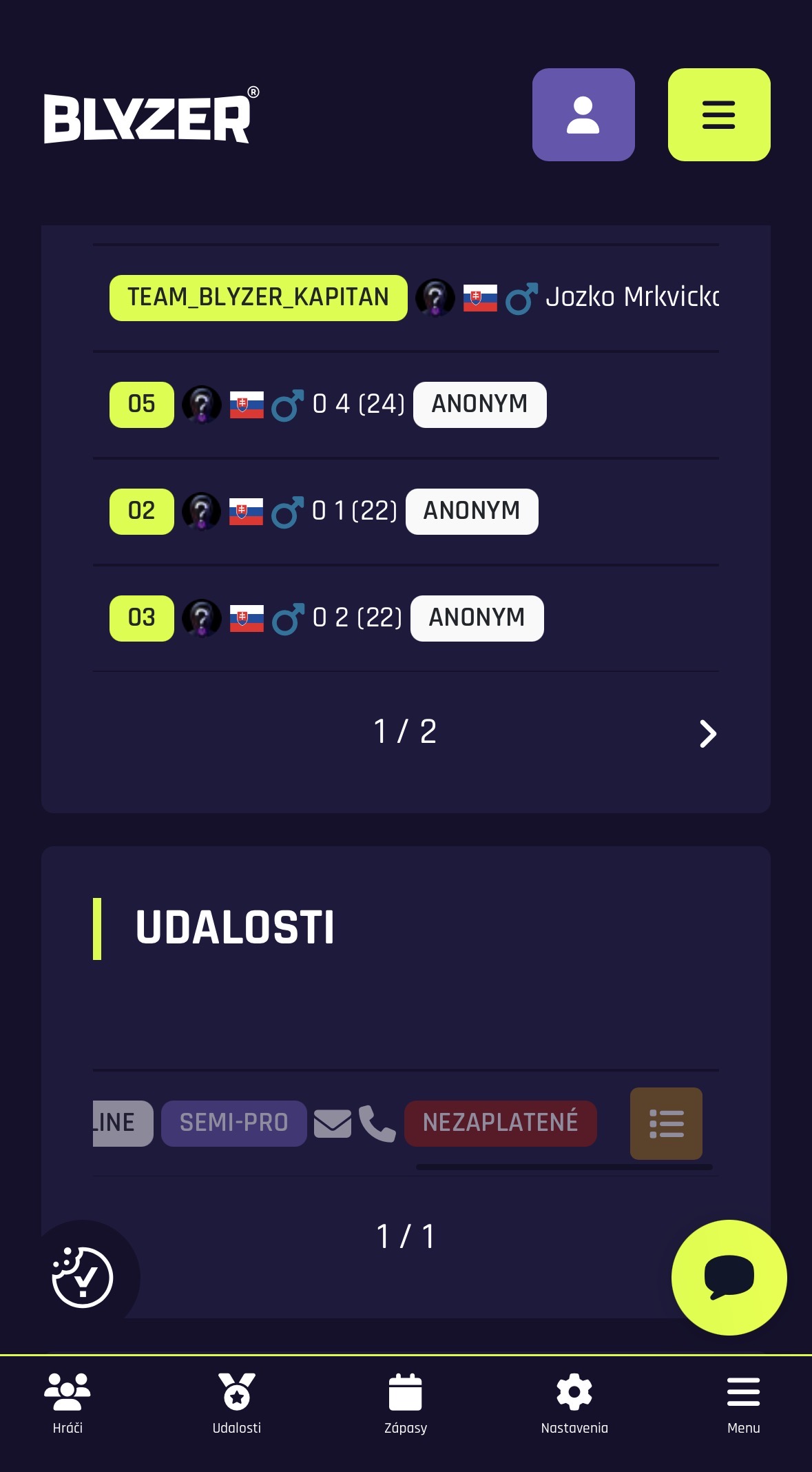
In the Events section, tap the specific tournament or league
for which you want to set up or edit the player line-up.
This takes you to the detail of that event,
where you can go on to edit the team line-up.
Select the tournament or league for which you want to edit the team roster.
5. Change the player line-up
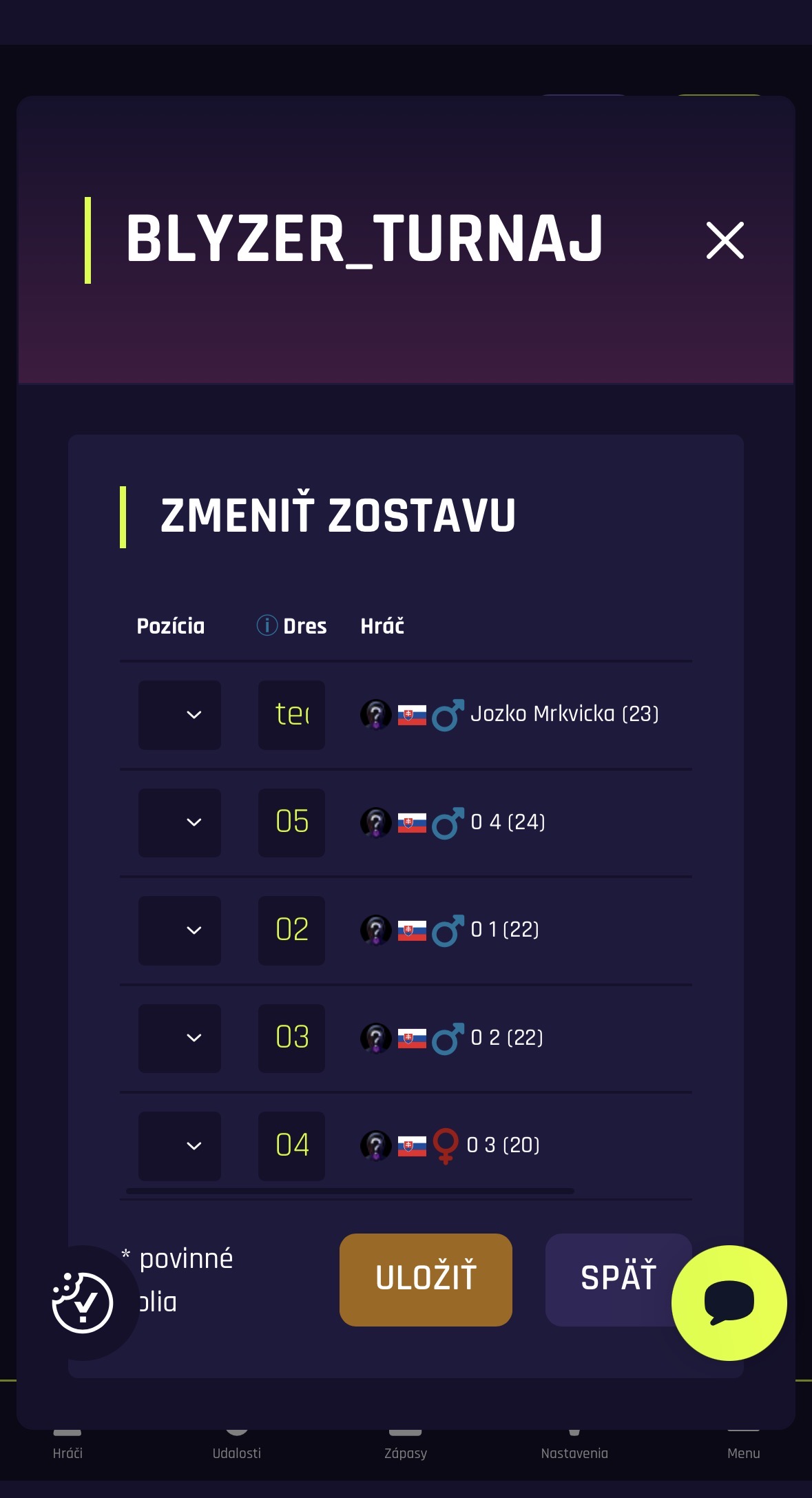
Once you open the event, the Change line-up option appears.
Here you can edit the players who will be included in the roster
for that tournament or league.
For each player you can set details such as their
position, shirt number
and more, as needed.
In the Change line-up section you edit the players for the specific event
and then save your changes.
Tip for team captains
We recommend editing the roster before the tournament or league starts.
That way your players will be displayed correctly in matches,
results and statistics right from the first round.
Frequently asked questions
Can I change the line-up during a tournament?
Yes, if the rules of the specific event allow it.
Whether edits are possible depends on the organiser's settings.
Can I have a different roster for each event?
Yes, the line-up can be set separately
for each tournament or league.
Who can edit the team roster?
The team roster is usually edited by the team captain
or an authorised team manager.