

FIFA World Cup 2026: play-off schedule and the stars of the tournament
The 2026 FIFA World Cup is the biggest championship in history — for the first time 48 teams are taking part and a record 104 matches will be played.…
Organising a Fall Guys tournament for your school, friends or community? Blyzer makes the whole process easier – from player registration, through the custom show schedule and placement points in every round, to the overall standings, results and stats. Whether it's a party with 20 players, a school tournament on the projector or a long-term league with squads, everything is in one place.
Works for PC, PlayStation, Xbox, Switch and mobile – custom shows for solos, duos and squads, crossplay with no restrictions.
Players sign up via a link with their nickname and platform, you just confirm and send the custom show code.
Points for qualifying in every round and for the crown in the final – standings recalculated after every show.
Several custom shows in a row, multiple lobbies for large player counts – the system builds the schedule.
Live standings on the projector for spectators, and your tournament and league history is never lost.
Pick the format that fits your event – Blyzer generates the schedule, scoring and standings. You can set up any format in the wizard in a few minutes.
All players in one custom show, 3–5 shows played back to back. Points for every round a player survives and a bonus for the crown. Overall standings by total points – the most popular format for parties and school tournaments.
How to: Create race → Configure → placement and crown points → number of shows → enter results after every show.
Every player runs the chosen course in Creative or Time Trial mode, ranked by best time. Players don't need to be online at the same time – ideal for schools and open challenges.
How to: Create race → Configure → ranking by time → course and deadline → players upload their times.
With more than 40 players, split the participants into several custom shows (groups). The best from each show advance to the final show for the overall win.
How to: Create tournament → Configure → number of groups and qualifiers → Generate groups → final show.
Two players, one course, the faster one advances – an elimination bracket for LAN parties or school tournaments in front of an audience. Optionally with a 3rd-place match.
How to: Create tournament → Configure → no groups, play-off only → Seed players → Generate bracket.
A multi-week season – one or two custom shows every week, points add up in the league standings. For school clubs, communities and family leagues.
How to: Create league → Configure → number of rounds and players → Generate schedule → enter results as you go.
Our guides compare the formats, suggest recommended custom show scoring and share tips on running a tournament for kids and beginners.
Tip: Up to 40 players: go for a points-based competition over 3–5 shows; more players: qualifying lobbies + final.
In the wizard, set the number of players, number of shows and placement and crown scoring.
Add players yourself or send a registration link – everyone states their nickname and platform.
After every custom show, record how far each player got and Blyzer instantly recalculates the standings.
Less writing on paper, more fun. Players and spectators always see the current standings after every show – on the web, on mobile and on the classroom projector.
Most often 1 point for every round a player survives and a bonus (e.g. 5 points) for the crown in the final. You can also set custom points for the final placement in each show – standings are recalculated automatically.
A custom show holds up to 40 players (depending on the course settings). With more players, split them into several qualifying shows and send the best to the final.
Yes. Fall Guys is ideal for schools and clubs – registration via link, simple scoring and standings on the projector that the kids can watch live.
Yes. Fall Guys supports full crossplay – players on PC, PlayStation, Xbox, Switch and mobile join the custom show with a single code.
The basics are free – you can create and run a tournament, league or points-based competition at no charge.
Create a tournament, league or points-based competition, invite players and manage everything clearly on Blyzer.
No events found.
No events found.
No events found.
The 2026 FIFA World Cup is the biggest championship in history — for the first time 48 teams are taking part and a record 104 matches will be played.…
Weapons Fortnite Chapter 7: Season 2 (Showdown) kicked off one of the biggest loot pool purges in the game's history — only 2 weapons survived from…

In FC 26 it's not just about which team you pick or how fast your attackers are. The right formation, your tactical settings and the way you play in…
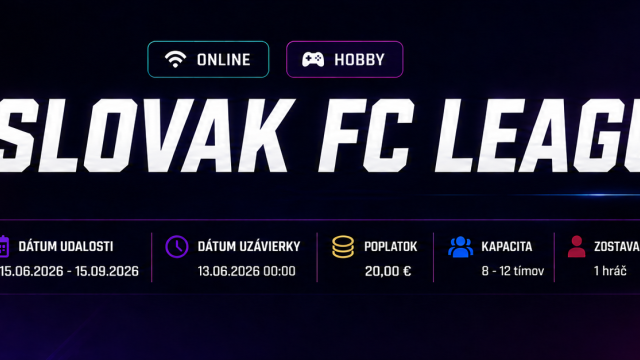
Slovak FC League 1 is a new online football league for all EA Sports FC 26 players in Slovakia. If you love playing FC 26, want to test yourself…
Guide Double elimination is hugely popular among esports players and organisers, because one bad match doesn't mean the end of the tournament.…
Football is one of the most popular sports in Slovakia and around the world. Whether it's professional football, amateur leagues or youth…
Hockey is one of the most popular sports in Slovakia and around the world. Whether it's professional ice hockey, amateur leagues or youth…
BLYZER GUIDE TEAM ROSTER TOURNAMENT / LEAGUE How to add or change a team roster…

Organising school sports competitions doesn't have to be complicated. Whether it's a secondary school league, a university tournament, an inter-class…
Organising a sports league or tournament no longer has to be chaotic or time-consuming. Thanks to modern solutions such as sports league software and…
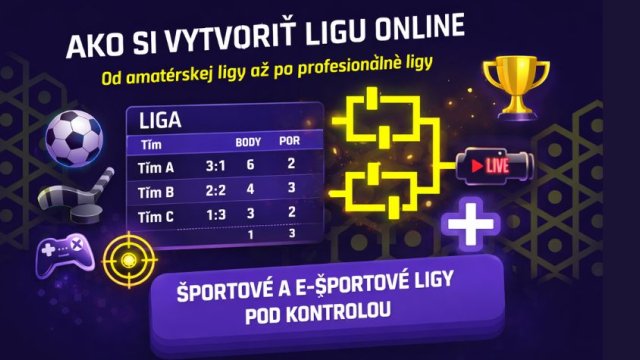
These days creating a league no longer means an Excel sheet and retyping results by hand. Whether it's amateur leagues, school competitions or…
The round-robin format (everyone plays everyone) is one of the clearest and fairest solutions a modern tournament system can offer. In this case the…